
Windows x64 · Windows app
Larp Exodus.
On your desktop.
Download the demo, open a wallet and set the scene.
Version 26.11.11 · R3 · 102.3 MB
A local simulation build. Real funds stay where they are.
340a3cfb0e617dab47682fa910bf0a6e0bad75ed5173b0d44689676603b2687fUse this checksum to verify your downloaded file.
Make yourself at home.
You’re a few steps away from your first walkthrough.
Download the app.
Save the Windows build to your computer.
Open Larp Exodus.
Close the older demo first, then open the new executable.
Set your scene.
Open a wallet and press Ctrl + G to access the editor.
Close an older demo instance before opening the new build. Windows may show an unsigned-app prompt.
Want a look first?
See the interface, editor and transaction history in the overview.
Explore Larp Exodus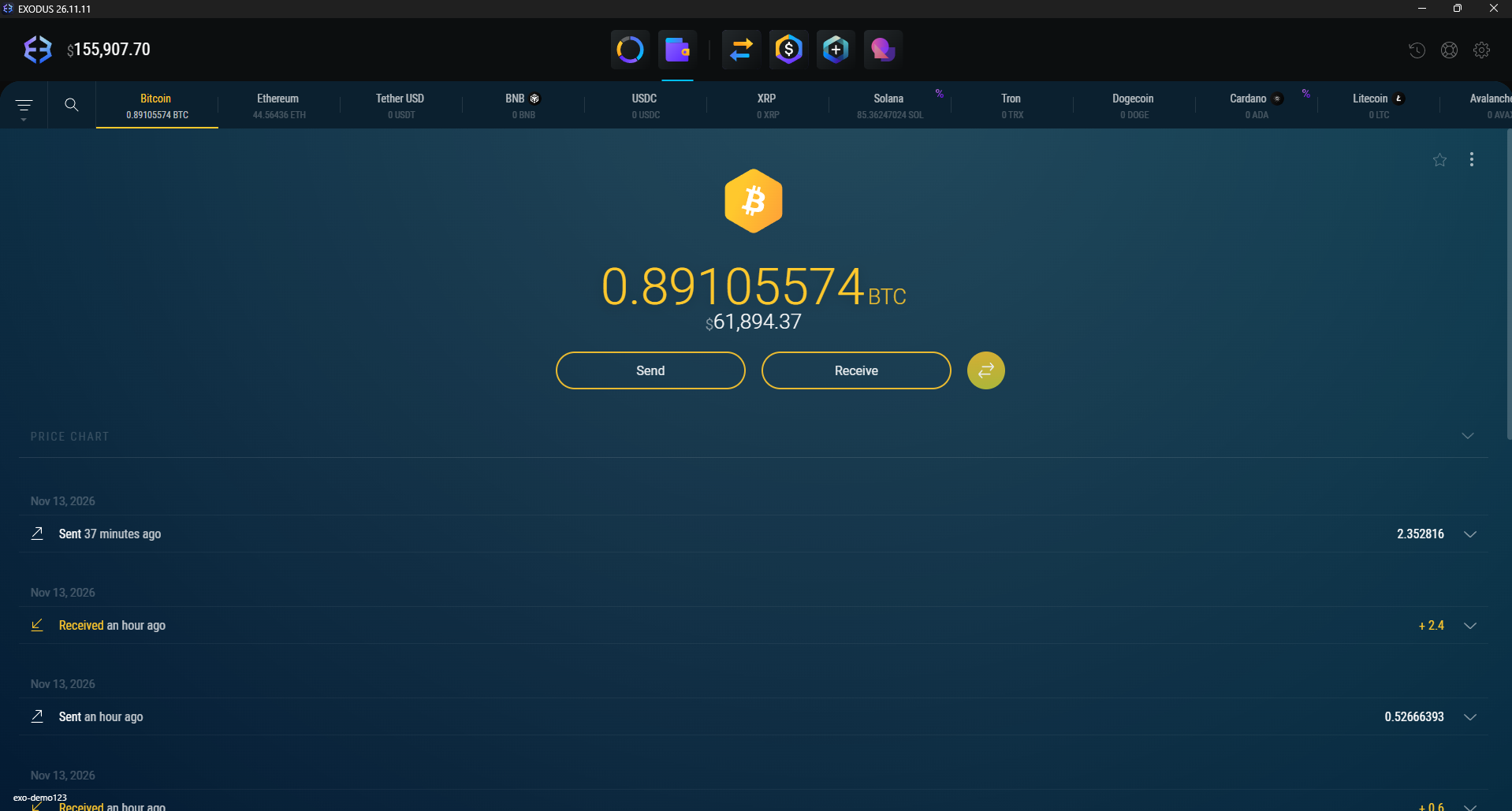
A few things to know.
Clear answers before you get started.
Does Send move real funds?+
No. Send runs a local simulation, updates a separate demo balance and records a simulation row. It does not sign or broadcast a blockchain transaction.
Where does the wallet history come from?+
Recent transfers come from public blockchain APIs for the selected known address. Availability depends on the network and provider. Some networks require an API key.
Is this an official Exodus product?+
Larp Exodus is an independent visual demo project. It is not affiliated with Exodus, and the screenshots show the desktop demo interface.
What do I need to run it?+
The current build is a Windows x64 application. Download the executable, close any older demo instance and open the new build.